Previous Workshops
View our previous workshops, below. Click through to find links to resources and the full presentation for each past workshop.
Universal Design for Learning (UDL) Fellows Program Consultation
Wednesday, December 10, 2025 | 12 pm – 1 pm
This consultation session supported Faculty of Education project teams with their applications for the Universal Design for Learning (UDL) Fellows Program – 2026 Cohort. LDDI provided consultation regarding:
- The UDL Fellows nomination process
- Developing your rationale for course redesign
- Identifying key project objectives
- Evaluation planning
The Faculty of Education nominates one lead faculty member or instructor to join the UDL Fellows 2026 Cohort. An LDDI Learning Designer collaborates with the chosen instructor throughout the program, providing support and guidance for course redesign.
Facilitators: The LDDI Team
TEC Expo 2025
Tuesday, November 18 – Thursday, November 20, 2025
The Technology Enhanced Classroom (TEC) Expo was designed to showcase and celebrate interesting and innovative uses of technology in face-to-face, blended and online classrooms at UBC. TEC Expo 2025 was open to all members of the UBC community, across disciplines and University locations. It was a three-day long celebration, from November 18 to November 20, and consisted of a combination of engaging in-person and virtual conversations.
Facilitators: LDDI Team
Cultivating Empathy Through Digital Storytelling
Wednesday, October 29, 2025 | 12:00 pm – 2:00 pm
This Viewpoints panel discussion explored how digital storytelling can cultivate empathy, deepen understanding and inspire meaningful change across educational and community contexts. Designed for faculty, staff and students, the session highlighted intentional approaches to digital innovation that foster connection and transform learning — within and beyond the classroom.
Panelists shared insights from their research and practice in areas such as ecological storytelling, immersive audio experiences, multimodal literacies and community-based digital narratives. Together, they addressed critical considerations including ethical storytelling, digital equity, and authentic human connection, guided by the ABCs of Intention: Awareness, Betterment and Care.
Panel: Dr. Kristiina Kumpulainen, Dr. Maureen Kendrick, Dr. Kathleen Deering & Dr. Siobhán Wittig McPhee
LDDI Drop-In
Thursday, August 28, 2025 | 12 pm – 1 pm
This session for Faculty of Education faculty members, sessional instructors and TAs offered advice about course design, course facilitation strategies, digital tools such as Canvas and Zoom, and more. Our experienced team members answered instructor questions and empowered participants with guidance and resources for creating engaging learning experiences.
Facilitators: The LDDI Team
LDDI Drop-In
Monday, August 18, 2025 | 12 pm – 1 pm
This session for Faculty of Education faculty members, sessional instructors and TAs offered advice about course design, course facilitation strategies, digital tools such as Canvas and Zoom, and more. Our experienced team members answered instructor questions and empowered participants with guidance and resources for creating engaging learning experiences.
Facilitators: The LDDI Team
Teaching and Learning Enhancement Fund (TLEF) Consultations
Wednesday, June 25, 2025 | 1:00 pm – 2:00 pm
During this workshop, LDDI supported faculty with their applications for Teaching and Learning Enhancement Fund (TLEF) projects, including cross-faculty collaborations. The session provided consultation on:
- Pedagogical/course design solutions
- Technical support and recommendations for tools and technologies
- Evaluation strategies
- Project management
- Budget planning
- Liaising with other units like the Center for Teaching Learning and Technology (CTLT)
Facilitators: Faeyza Mufti and LDDI Team
Blending AI and Human Creativity in Learning
Tuesday, May 13, 2025 | 3:00 pm – 4:30 pm
This Viewpoints panel discussion delved into the dynamic intersection of generative AI and human creativity in shaping meaningful learning experiences. Designed for faculty, staff, and students, this panel explored how AI can support educators and learners to innovate, personalize education, brainstorm ideas, and tackle challenges. At the same time, it addressed critical concerns, including over-reliance on AI, the potential impact on critical thinking, and ethical implications.
Panelists: Dr. Ron Darvin, Dr. Danny Bakan, Dr. Sonya Woloshen and Mike Elkoussy
Creativity, Play & Spontaneity for Educators
Tuesday, April 1, 2025 | 2:00 pm – 3:30 pm
In this interactive, participatory workshop, Erica Mohan and Jude Walker (EDST) showed how creativity, play and spontaneity is an attitude we can adopt in our teaching rather than something to add onto our already packed syllabi. They shared their own experiences and introduced participants to activities they have used in their classes, from games to role-plays to improv and artistic playful engagements, all of which support risk-taking, make teaching and learning more fun and further the learning of both teachers and students.
Presenters: Dr. Jude Walker and Dr. Erica Mohan (EDST)
Podcasting as Creative Pedagogy
Tuesday, March 11, 2025 | 3:00 pm – 4:00 pm
This Viewpoints panel discussion showcased creative and emerging uses of podcasting for teaching and learning. Designed for faculty, staff and students, this panel explored how to leverage podcasting to enhance multimodality, accessibility, student engagement and connection to land and place. At the same time, it unveiled the creative and technical process of podcast production, including low-tech recording, editing, and sharing strategies and opportunities for collaboration.
Panelists: Dr. Rob VanWynsberghe, Dr. Iris Berger and Dr. Daniel Cox
LDDI Drop-In
Tuesday, January 21, 2025 | 12 pm – 1:30 pm
This session for Faculty of Education faculty members, sessional instructors and TAs offered advice about course design, course facilitation strategies, digital tools such as Canvas and Zoom, and more. Our experienced team members answered instructor questions and empowered participants with guidance and resources for creating engaging learning experiences.
Facilitators: The LDDI Team
Faculty Experience Quotes
Faculty of Education instructors share quotes about their experiences working with ETS and incorporating learning technologies into their online teaching!
Anna anchor

I am so grateful for our team of expert colleagues in ETS for their consistent support! Special thanks to Faeyza Mufti for her professionalism and dedication as I have explored new tools and technologies for my online courses.
–Dr. Anna Dong, Lecturer, Department of Language and Literacy Education
Joe anchor

It has been wonderful to work with PDCE/ETS team members, and their work on my courses has allowed me to have a successful experience teaching online – the first time I have ever taught in this way.
–Dr. Joseph Lucyshyn, Associate Professor, Department of Educational and Counselling Psychology and Special Education
Janka anchor

Even though, throughout this Covid 19 crisis we are all isolated, I have never felt closer to the KIN team. With the support of the ETS workshops, I have really had a chance to feel the connection and support, with the rest of the KIN team and the Education Faculty. The training has given me the confidence to use the different teaching tools that are available in Canvas that I would have not known about had I not attended the various training sessions.
–Dr. Janka Samuhel-Corewyn, Sessional Instructor for the School of Kinesiology
Teresa anchor

I am truly impressed with the calibre and professionalism of the ETS team.
–Dr. Teresa Dobson, Professor, Department of Language and Literacy Education + Master of Educational Technology
Gerald anchor

Thanks again to you (Helen Dewaard, Learning Designer) and your team for providing such a high quality support!
–Dr. Gerald Fallon, Associate Professor, Department of Educational Studies
Back to Faculty Experience.
Choosing the Right Online Teaching Platform

Bonnie Nish, Sessional Lecturer
Department of Language and Literacy Education
QUICK INFO
Key Themes: Collaborate Ultra vs. Zoom, PowerPoint, preparing your online course
|
Interview with Bonnie Nish
July 29, 2020
Collaborate Ultra Vs. Zoom
For my LLED 361 course (Literacy Practices and Assessment: Secondary), I initially started in Zoom, but then moved to using Collaborate Ultra. It was just little things that I was noticing that didn’t work for me. For example, I created a Zoom meeting and I sent the students the link by email, and I also put it into the announcements for everyone to have. Then the day of the class, I noticed there were two people in the waiting room whose names I didn’t recognize. I thought maybe they had different emails so I thought I’d just wait and see.
I recognized everybody else and I let everyone in except for these two people. I realized that they probably weren’t meant to be here and I just wondered how they could have gotten the link. It made me nervous because I had recently been in an AGM meeting where we were Zoom-bombed, and it wasn’t a nice feeling; it was very disturbing. The last thing I wanted was for that to happen in my course. I wasn’t feeling too comfortable with Zoom, even with all of the security around Zoom that UBC has taken. The fact that there were two people in my waiting room that weren’t supposed to be there concerned me, and I had no idea how they got there.

Another issue I had with Zoom was I once had a guest speaker, and the students were asking questions in the chat. I read out a question from the chat and the guest speaker was answering, suddenly I looked up and the student who had asked the question was in the waiting room, because her Zoom call had dropped. I quickly let her back in and I had to ask the guest speaker to please repeat their answer because I had just noticed that the student who asked was out of the room while they were talking. She was just booted out. Little things like this were happening for me in Zoom.
Because of these things, I ultimately decided at that time to go back to Collaborate Ultra. I felt like there was a little more flexibility with Collaborate Ultra, so I stayed in that platform for the rest of the course. However, since then I have become much more familiar with Zoom and I will actually be switching to this platform for my next course. I have found that Collaborate Ultra lacks certain things which Zoom offers. The speaker view for instance is more limiting in that you can only see a few people at a time. While Zoom tends to drop people, the actual connection is better in Zoom in that it is clearer. They both have advantages and disadvantages, and familiarizing yourself with each is important in order to find your comfort level and what works for you.
“[Zoom and Collaborate Ultra] both have advantages and disadvantages, and familiarizing yourself with each is important in order to find your comfort level and what works for you.”
One of our classes was about using memes, in classrooms, in teaching – so I made a meme for them. It’s a superhero, and the first box shows a finger trying to decide between two red buttons, one labelled “Zoom” and one labelled “Collaborate Ultra”. And then the next box shows a superhero just sweating it out. And at the beginning of class I told them this is what working with technology has been like for me.
To Powerpoint or not to Powerpoint?
In the beginning I was using PowerPoint in my lectures. I thought, just for my own sake, I can use this to teach so they’re not just looking at me the whole time. But I quickly did away with that because I realized in Collaborate Ultra I couldn’t see anybody while sharing a PowerPoint presentation. Anytime I shared my screen, I would have somebody else let me know if anybody had any concerns in the chat, and I just felt like it didn’t work as well to have the PowerPoint there. In Zoom, however, I can still see the students in gallery view and I don’t feel I am talking into space. So sharing a PowerPoint feels more comfortable in Zoom.
While I was using Collaborate Ultra, I ended up just putting the PowerPoint presentations up online for students to access on their own time. Especially if somebody hadn’t had a chance to read the reading that week, they had that to help, and for extra reference. So that was one thing I found I had to adjust for. And I just found keeping the actual teaching time short, and giving them a question from the reading to go into breakout rooms and discuss worked better. Making sure they have a lot of asynchronous time for assignments is key.
“In Zoom … I can still see the students in gallery view and I don’t feel I am talking into space. So sharing a PowerPoint feels more comfortable in Zoom [compared to Collaborate Ultra].”
I was constantly adapting, because I hadn’t taught online before. I had to switch to shorter lectures – about fifteen minutes tops. While we had been told that this was better, you really don’t understand this until you’re in it and get to experience it first hand.
Advice for Instructors New to Online Teaching
Get a group of people together, whether it’s family or friends, and go into both platforms beforehand, just to get a feel for it. It’s one thing to go in by yourself and navigate it, but it’s far more useful if you’re in there with a group where you’re actually putting people into breakout rooms or assigning breakout rooms in each platform, just to see which is more comfortable.
I know a lot of people prefer Zoom, and it might be great, but I think having a handle on both platforms is beneficial. They both have great things that they offer, but actually walking through all of these different things, using the whiteboard, sharing your screen, uploading things beforehand, putting people into breakout rooms in groups and moving them around; doing all that, and having people there in the moment to give you feedback, will really help. If you can do all that comfortably, I think that’s going to give you a big head start into using these platforms. And I would do both of them just because some people might want to go back and forth. Some people might find one is easier than the other.
Biggest Takeaways for Preparing your Course
Be aware that it’s an ongoing process. I mean, teaching is anyway, so you plan lessons as best as you can. And sometimes things go wrong – I probably had everything possible that could go wrong with technology go wrong for me! Just be aware of this, and give yourself a break, if you’re just learning it. Accept that it’s a learning process, and you’ll find your flow eventually. I felt like by the third week I was starting to really get a handle on it. It just takes some time to get used to it, and to be comfortable within each platform. It is different than teaching in person – it’s very different.
One of the things I like to do in my classroom is create a sense of community, where students feel they can talk and be together. How do you do that online and really get a sense of who everybody is and those conversations? Breakout rooms, discussion boards and short class discussions are really great ways to do that. It’s constantly a learning process.
Edited by: Milena Constanda
Back to Faculty Experience.
Canvas Zoom Integration Troubleshooting
-
You need to have a UBC provisioned Zoom account.
If you do not have a UBC Zoom account, please contact AV Helpdesk at av.helpdesk@ubc.ca to get an account set up. Your personal Zoom account will not work. UBC Zoom accounts are only available to faculty and staff.
-
The email that is used for your UBC Zoom account must match your Canvas account’s default email address.
Please see this pictorial guide on how to change your default email address: Change Canvas Default Email Make sure that there is a “Star” next to your desired default email address.
Tips
- If someone has an instructor-like role in a course they will not be able to join the Zoom room via integration. The workaround is to go into student view and join it that way.
- How to enable Zoom integration in your Canvas course
Social Inclusion and Academic Engagement in Online Learning

Online education faculty mentor session with Kapil Dev Regmi.
Access the presentation here: Social inclusion Academic Engagement
Learning in a Pandemic
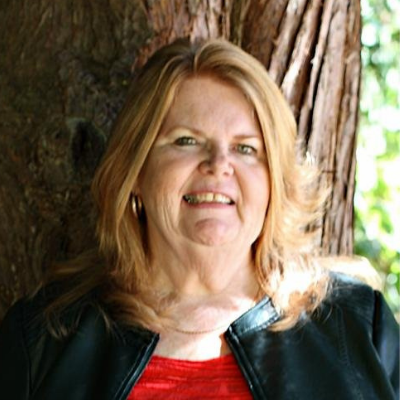
Roberta Borgen, Adjunct Professor
Department of Educational and Counselling Psychology, and Special Education
QUICK INFO
Key Themes: Zoom fatigue, synchronous vs. asynchronous learning, grading strategy
|
Interview with Dr. Roberta Borgen (Neault)
August 17, 2020
An Era of Zoom Fatigue
As we take our courses online during the pandemic, we’ve all heard the cautions not to try to turn a 3-hour classroom-based course into a 3-hour Zoom session. I doubt if any of us, as instructors, would disagree. “Zoom fatigue” is a real thing!
That said, unless our courses were originally scheduled to run asynchronously (i.e., online, not in real-time), we have a bit of a dilemma. Instructors and students alike, in programs that were not intended to be online, have structured their lifestyles and responsibilities around the chunks of time that they were anticipating to be “in class.”
e-Learning: A Balancing Act
I’m certainly not opposed to asynchronous e-learning – in fact, that’s how I’ve taught for the majority of my academic career of 20+ years. However, having converted two masters-level counselling psychology courses at UBC to an e-learning format this summer, when holding classes in person on campus was simply not an option, I learned that my students in both courses wanted the bulk of their learning to be in real time, with minimal use of asynchronous discussion forums. I checked in with students while designing my courses, when the courses first began, mid-course, and at the end. Although students reported being tired, anxious/stressed, and fed-up with being isolated, they still mostly preferred the synchronous options (although a few appreciated the extra thinking time that asynchronous discussions permitted).
“I learned that my students in both courses wanted the bulk of their learning to be in real time, with minimal use of asynchronous discussion forums.”
Saying Goodbye to 3-hour Lectures
However, 3-hours of me lecturing would not have been fun for any of us! I don’t do this in a classroom-based course so, of course, I wouldn’t do this online! Instead, I chunked my 3 hours into manageable pieces – with a short check-in each day (sometimes using Mentimeter, a cool survey tool that you can use for free at mentimeter.com). I allocated about an hour for a combination of lecture and discussion, using either Collaborate Ultra (available through Canvas) or Zoom – and integrating small group discussions in breakout rooms. After a break, we’d return to class on most days for student presentations – these presentations counted as assignments (i.e., were graded, using a rubric that I was able to complete as I viewed the presentation) and provided amazing opportunities for the students to learn from each other. Classes typically ran for 2.25 to 2.5 hours in total, with the remaining allocated time devoted to offline activities. Occasionally, we used up the full 2 hours and 50 minutes “live.”
An Alternative Presentation Format
My current favourite student presentation format, whether classroom-based or online, is Pecha Kucha. Pecha Kucha is a Japanese word meaning “chit chat” and the format is standardized – 20 PowerPoint slides set to advance after 20 seconds, resulting in a presentation that finishes in less than 7 minutes. Due to the short duration of each slide, students are encouraged to minimize text and maximize graphics. Pecha Kuchas are engaging to watch, move quickly, and allow students to hear different voices and to experience a variety of presentation styles in a single class. I gave my students the option to present “synchronously” (i.e., “live” in Collaborate Ultra or Zoom) or asynchronously (i.e., pre-recorded and posted on Canvas, with a facilitated online discussion) – almost all chose “live” in Zoom.
“Pecha Kuchas are engaging to watch, move quickly, and allow students to hear different voices and to experience a variety of presentation styles in a single class.”
Generally, I have students facilitate a brief discussion or an activity after their presentation – in some courses, we have 2 presentations per class, stretching across most of the term; in others we have 4 – 6 presentations per class, clustering them into just a few sessions per term. Depending on the learning objectives of the course, Pecha Kuchas have offered opportunities for students to research, critique, and present on a relevant program, resource, assessment tool, service for a diverse client group, or ethical dilemma. This format lends itself to a variety of topics.
Grading Strategy
As the format is often new to some students, I offer a small percentage of the grade just for mastering the Pecha Kucha elements (i.e., the slides advance as they are intended to; there are 20 slides). I offer additional grades for format (i.e., avoiding spelling/grammar errors; integrating appealing and relevant design elements). Marks are also allocated for the presenter’s style (i.e., engaging, clear, concise; going beyond reading a script; where relevant, facilitating an interesting discussion). These three components contribute to the students’ professionalism and public-speaking competencies, both of which are important employability skills (you may have guessed from this that my area of specialization is career counselling!). However, the bulk of the grades, of course, are reserved for course learning objectives – the description of the tool, program, resource, or other topic that they have selected and a critical analysis that focuses on how that tool, etc., would be applied in practice within a specific context; this analysis must be supported by references to peer-reviewed academic literature, and linked to a theory, model, or conceptual framework.
The grading rubric and topical details can be changed to suit your course, but the overall structure of student Pecha Kucha presentations can make your Zoom or Collaborate Ultra sessions fast-paced and engaging.
Bring Pecha Kucha to Your Course
Interested in learning more? Here’s a Pecha Kucha on making Pecha Kuchas!
As one of the Faculty Mentors, I’d be happy to meet with you to discuss how to integrate a Pecha Kucha into your upcoming course. You can reach me at roberta.neault@ubc.ca.
Back to Faculty Experience.