Technology in Transit - Canvas Mobile

Technology in Transit – Canvas Mobile

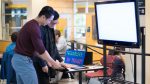
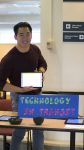
Technology in Transit is a monthly event organized by Educational Technology Support (ETS) office for students in the Faculty of Education to showcase their learning technologies. The purpose of this one-hour session is to raise awareness of different technologies and to show how to incorporate them into classrooms.

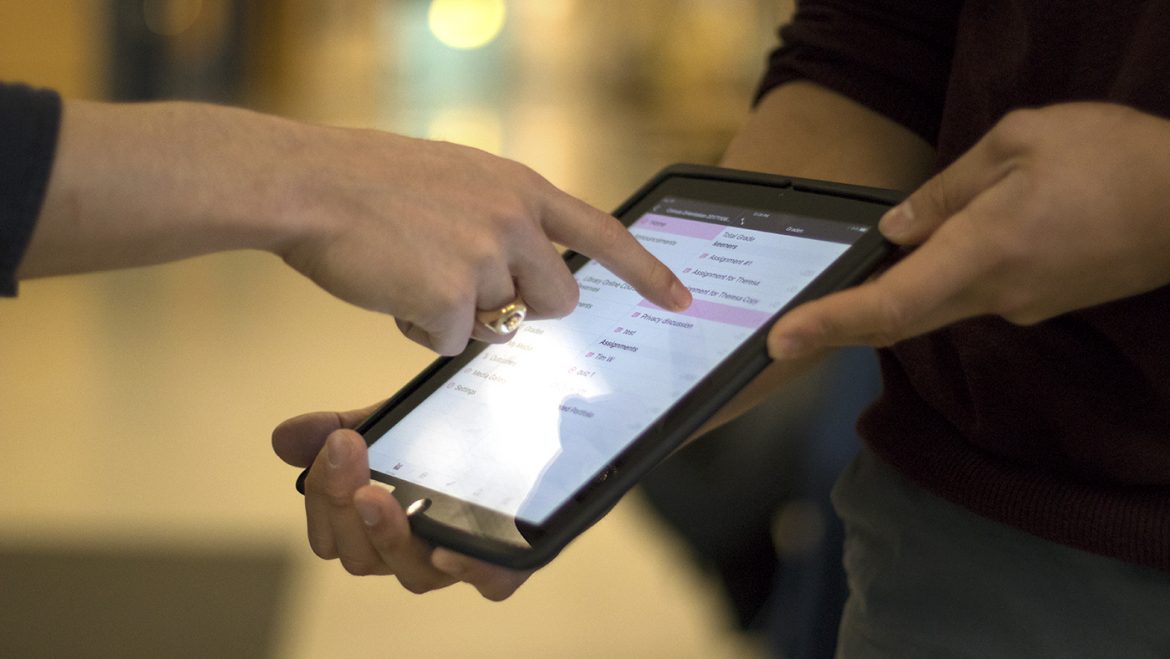
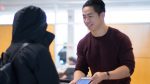
For the month of November, Eric will introduce the Canvas Mobile App (Google Play, Apple) as well as the Canvas Teacher mobile app (Google Play, Apple). Both of these apps are mobile app derivatives of our new Learning Management System, Canvas. With this app, you can now manage your learning content on the go. Eric will be presenting on November 15th, from 12pm-1pm in the Scarfe Foyer.

Some of the features for Students include:

  • Submitting assignments.
  • Viewing the syllabus.
  • Viewing your grades.
  • Seeing your To-Do list.

Some of the features for Instructors include:

  • Making announcements.
  • Changing assignment due dates.
  • Marking assignments.
  • Writing comments.

Eric has provided a one-page handout available for download.

Got a cool learning technology that you would like to share? Or an app that you think needs more awareness in education? Host a Technology in Transit session of your own!

If you are interested in hosting a Technology in Transit session and promote a learning technology, please contact the ETS office by email at ets.educ@ubc.ca or by phone at 604-822-6333.

Presenter

Eric Lee

Learning Technology Rover

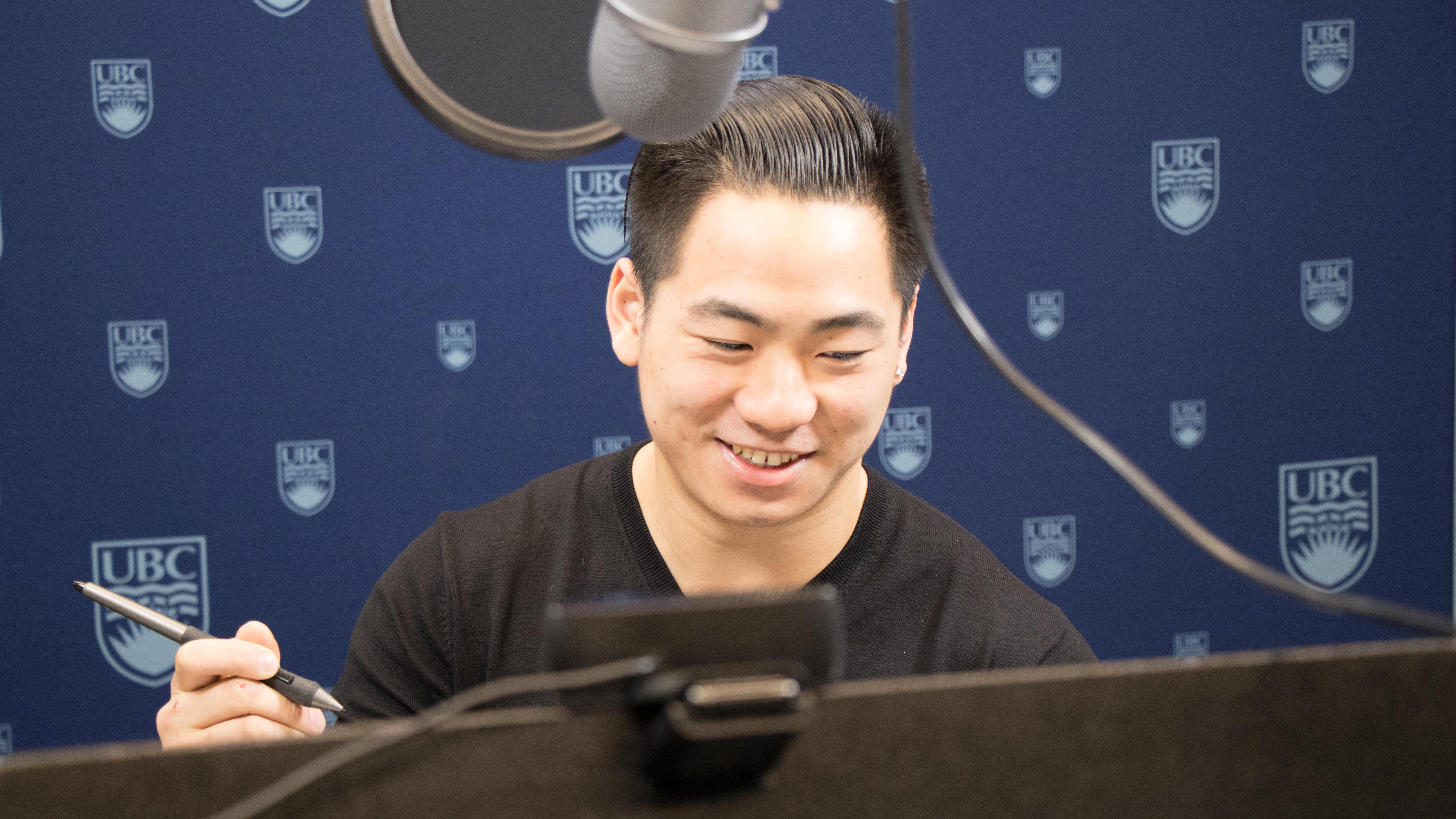
Eric is a Learning Technology Rover with Educational Technology Support. Eric started his Co-op term in September 2017 and provides Tier-1 or basic educational technology support to faculty members and staff as well as administrative support for the ETS office.

Sky Water Earth at the PSA Super Conference

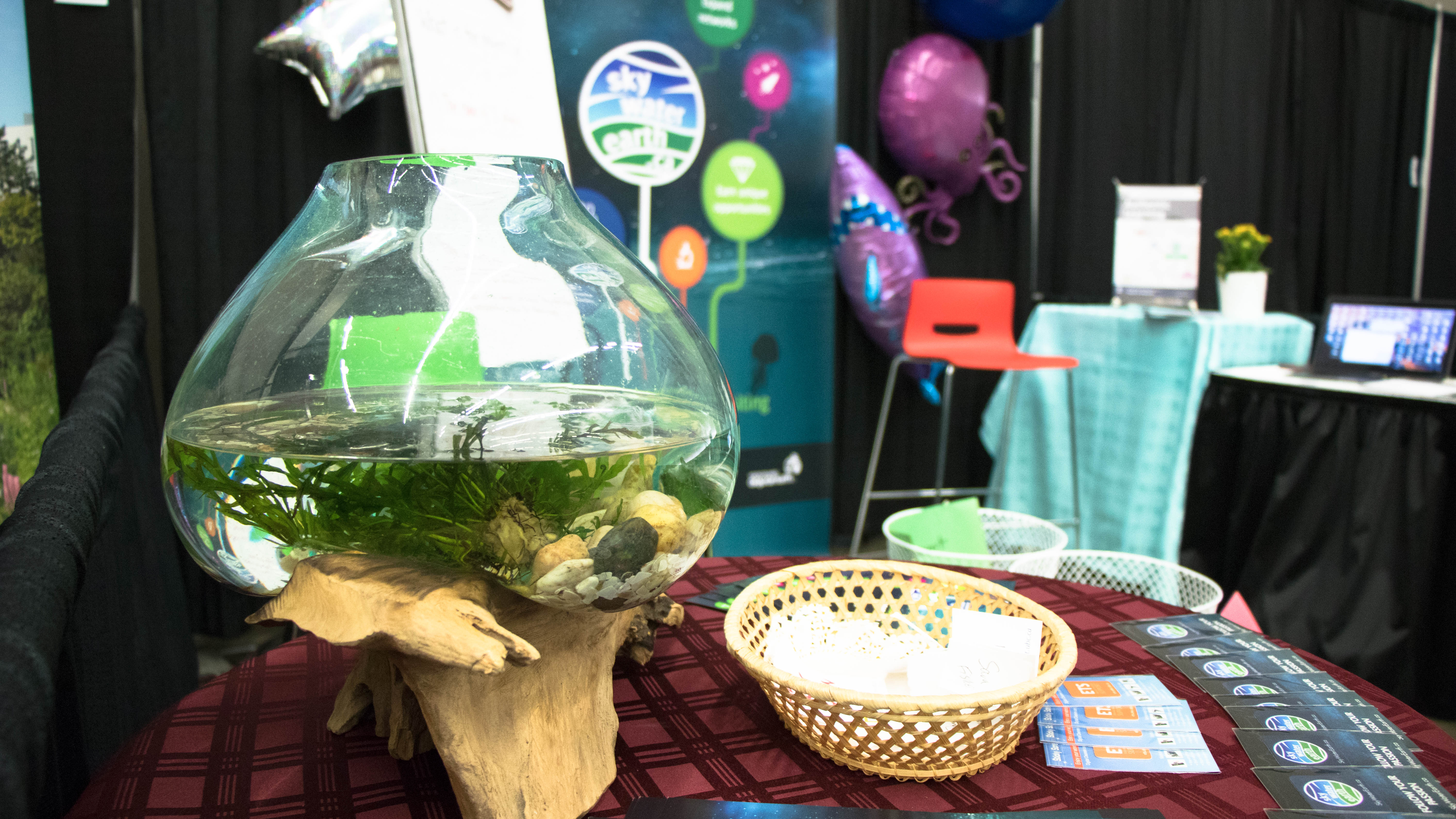
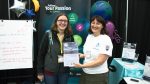
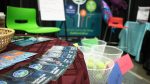
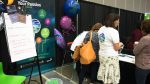
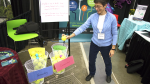
The ETS stand at the PSA Super Conference

The ETS stand at the PSA Super Conference

By Eric Lee — Posted on October 24, 2017

Sky Water Earth, a project by the ETS office, was launched to help guide youth with an interest in science to develop career-valued competencies. Those who sign up to be a learner participate in learning playlists that help them build competencies outlined by the National Research Council Canada (NRC), some of which overlap with the BC Curriculum Core Competencies. Upon completion of a learning playlist, learners earn XP points which can be redeemed for valuable Real-World Opportunities. These Real-World Opportunities range from behind the scenes learning experiences at the Vancouver Aquarium to hanging out with UBC instructors.

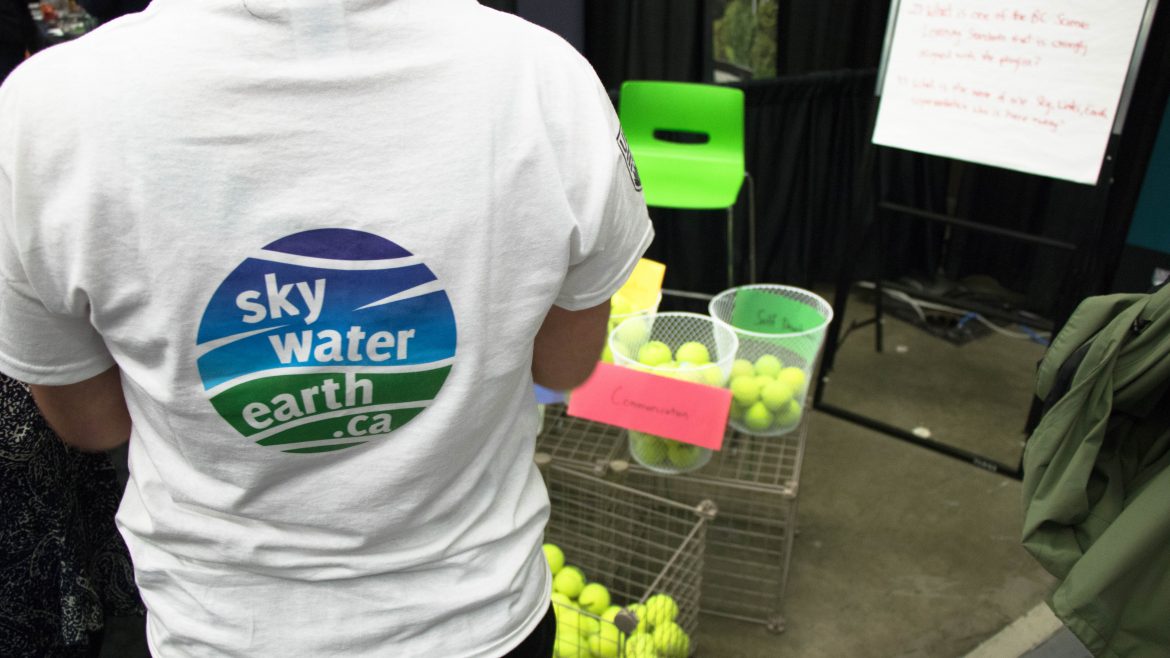
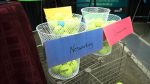
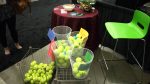
Sky Water Earth was one of the exhibitors at the PSA Super Conference, a celebration of the BC Teachers’ Federations'(BCTF) hundredth year. With 6000 educators in attendance at the conference, the Sky Water Earth booth was booming with activity. Attendees were drawn in by ETS’ lively tennis ball voting booth asking them which Sky Water Earth competency they believed was the most important for a career in sciences. Among Sky Water Earth’s four competencies, Creative Thinking was voted most important, Communication came second, Self-Development came third, and Networking finished fourth. ETS also held a door prize draw with two lucky winners either taking home a family package to the H.R. MacMillan Space Centre or a trip for two to the Vancouver Aquarium After-Hours Halloween Night. Those who wanted to participate in our draw had to complete a short playlist made exclusively for the PSA Super Conference.

The conference ultimately was an excellent success for Sky Water Earth; over sixty attendees signed themselves up to learn more about being a Sky Water Earth educator. With such a large outreach at this conference, Sky Water Earth is looking to further expand by targeting different education levels or subject areas. It was an honour for ETS to take part in BCTF’s centennial celebration. We hope the attendees enjoyed our booth as much as we did hosting it.

See photos from the event below:

UBC Studios Tour Registration

Natasha’s 2017 Award

Early Adopters of Canvas

All courses at UBC will be migrated to the new Learning Management System (LMS) by September 2018. In order to achieve this target, we are starting “small” with early adopters, ensuring smooth transition and success. We will have a gradual migration of fully online courses and hope to increase the adoption of Canvas overtime as the basic teaching and learning tool. ETS aims to increase confidence in the usage of Canvas through variety of training and support models. We would like to feature and thank all instructors teaching in Canvas for the first time this Fall 2017 W1 term:

Instructors:

    • Photo 1
      • Jim Anderson
      • Mair Cayley
      • Jillianne Code
      • Serge Lacroix
    • Photo 2
      • Mona Gleason
      • Monique Bournot-Trites
      • Caleb Lee (Reginald D’Silva, coordinator)
    • Photo 3
      • Elizabeth Jordan
      • Yan Liu
      • Hongxia Shan
      • Judith Walker
  • Iris Berger
  • Cynthia Nicol

TEC Expo 2017

Selection 1

TEC Expo 2017 was held on July 12th and 13th. Thank you to all presenters, facilitators, sponsors and attendees for making this year’s TEC Expo a success!

See you at TEC Expo 2018!

Event Recap

With TEC Expo 2017 behind us, it is time to reflect. TEC Expo, or Technology Enhanced Classroom Expo, was created so faculty, students, staff, and guests can learn from each other. Each year we bring the Faculty of Education community together in the Scarfe foyer to share our biggest success stories and challenges when it comes to teaching with technology.

This year marked the fourth TEC Expo, and as with every year we tried to make it a more inclusive, accessible, and innovative event. We incorporated live video streaming for the first time, and ETS’ very own Bill Pickard conducted interviews with each presenter. All the videos can be viewed on the Professional Development and Community Engagement Facebook page. Hundreds of people joined us by watching live or after the event. The event was also live-tweeted using the #TECExpo2017 hashtag.

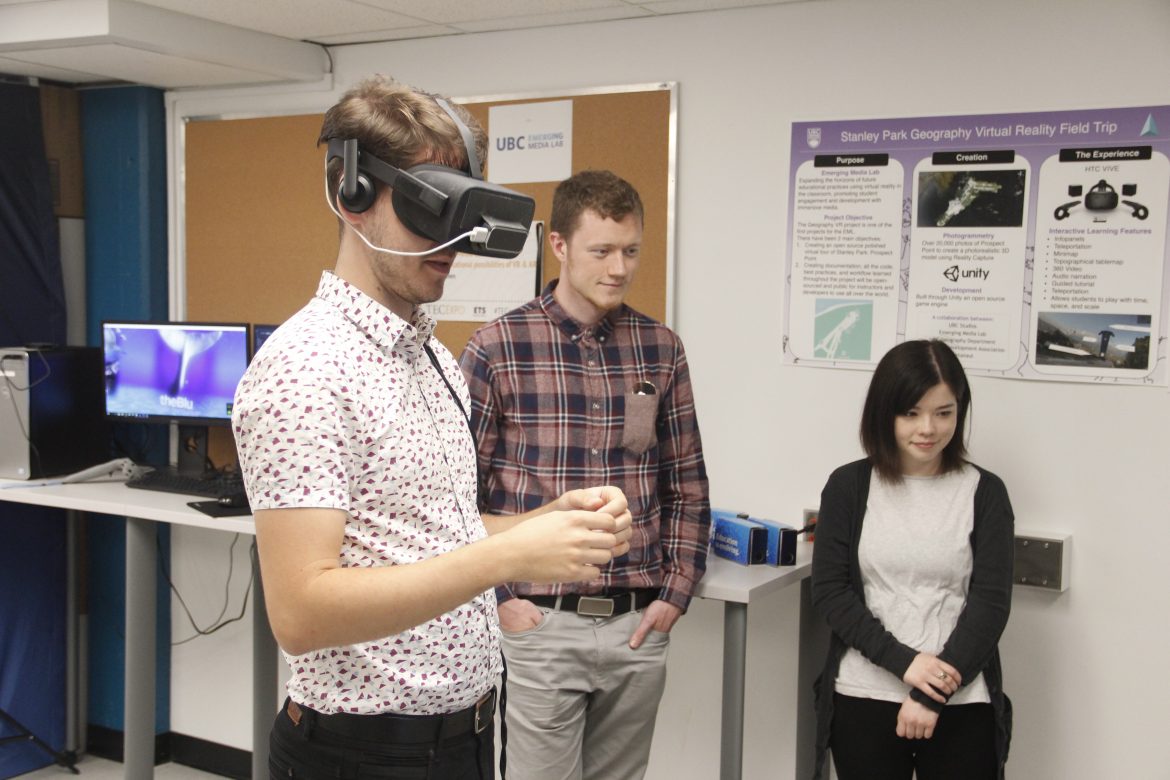
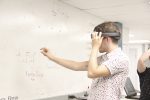
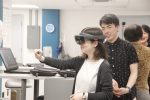
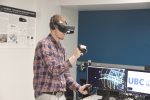
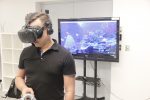
Another innovative addition to the event this year was the Emerging Media Lab, or EML. The EML is an exploratory space for people to discover the possibilities of virtual and augmented reality. If you are UBC faculty, student, or staff and didn’t get a turn in VR during TEC Expo, you can drop in on Tuesdays and Thursdays from 12:00 – 1:30pm at Neville Scarfe Building Room 1. The EML will be located in Scarfe until the end of August.

We continued an innovation from the 2nd and 3rd TEC Expos with a second day dedicated to Educational Making. There were opportunities to learn about food, knots, jewellery making, coding, robots, weaving, book making, button making, creating augmented reality experiences, experiencing a virtual stage, and the UBC seed library. It was an amazing array of educational makers sharing their experiences.

As always, it was a joyous occasion and our special honour to host the Faculty of Education’s fourth annual TEC Expo. We hope it helped you learn about new and emerging ways of teaching and learning, and facilitated constructive conversations about pedagogy. The presenters were an inspiration, and if you did not have the privilege to attend we encourage you to watch the archived live stream videos on the PDCE Facebook page.

Learn more about the presenters on the archived TEC Expo 2017 website using the tabs above, and check out the photo galleries below!

Day 1 Photo Gallery


Day 2 Photo Gallery


Check out the 2016 TEC Expo Day 1 in 360 degree video!

Check out the 2016 TEC Expo Maker Day in 360 degree video!

TEC Expo Archives

Event Description

On July 12th and 13th this year, ETS hosted its fourth TEC Expo event in the Scarfe building foyer at 2125 Main Mall. The Technology Enhanced Classroom (TEC) Expo is an annual event designed to showcase and celebrate creative and innovative uses of technology in face-to-face, blended, and online classrooms within the Faculty of Education.

Event Information


Date: July 12th and 13th, 2017
Location: Scarfe foyer
Time: 1:00 – 2:30pm
Registration: not required. The event is free.

Day 1

July 12th featured:

  • Instructors and students presenting educational technology they are passionate about

Day 2

July 13th was for Educational Maker Day:

  • This is a hands-on day where facilitators and audience had the opportunity to experiment with digital tools and engage in both digital and non-digital creative making.
  • There were both plugged and unplugged examples of ‘making’, and even some ‘make and take’ opportunities facilitated by Education Faculty, Teacher Candidates and Graduate students, as well as the Education and Woodward Libraries.

TEC Expo uses technology to enhance the traditional poster session format, with presenters able to dynamically showcase their courses or learning spaces on electronic displays. While browsing between the tables, visitors are able to view demos and engage in conversation with presenters.

Our goals are to encourage presenters and visitors to learn about new and emerging ways of teaching and learning, share their experiences, engage in meaningful conversations about pedagogy with colleagues, and to be inspired by various projects and course designs.

The 2016 TEC Expo was a success with over 20 faculty members and students demonstrating their work and celebrating technology-based educational tools in the Faculty of Education.

This event is free and open to all UBC students, staff and faculty

New features in TEC Expo 2017

  1. Can’t make it to the event? There are live-streamed conversations with the presenters
  2. We had a Virtual Reality (VR) corner featuring UBC’s Emerging Media Lab
  3. We demonstrated the new Learning Management Systems (LMS) – Canvas.

Interested in Presenting?

The deadline for presenters has passed and we are no longer taking in new applicants. Please look out for our event next year!

Need Help?

For more information, please contact the ETS office at ets.educ@ubc.ca or by phone at 604 822 6333.
Presenter Information

Marina Milner-Bolotin Bio

STEM education videos for teachers and students

Dr. Marina Milner-Bolotin, Associate Professor, EDCP

This project creates a database (hosted on a YouTube channel: https://tinyurl.com/kfospkb) of short videos demonstrating STEM experiments and hands-on inquiry activities relevant to the K-12 curriculum. The database is used to support Teacher-Candidates in the UBC Faculty of Education in their courses, on practicum and post graduation. It is open to the general public. These videos originate from hundreds of low-cost, safe, and ‘green’ hands-on STEM stations presented by the Teacher-Candidates to the general public during the annual UBC Faculty of Education Family Math and Science Day. Marina will be presenting the videos with Gerald Tembrevilla, who is also presenting on Camtasia.


Kyle Bio

Steps towards a virtual stage

Kyle Stooshnov, PHD student, LLED Digital Literacy Center

Kyle has been researching on how to create a virtual reality avatar for the purposes of theatre education. Advances in the technology behind virtual reality over the past five years has made it possible to create a 360º stereoscopic glimpse of “reality” that fits onto a smartphone viewed through a cardboard box or head-mounted display like the Oculus Rift or HTC Vive. To be a fully immersive and interactive experience similar to live theatre, he has focused on a moment of audience interaction from a recent production of Okuni – Mother of Kabuki by local artist Yayoi Hirano. Her performance in motion capture is just one element of this virtual stage, which also features the audience who become less of a passive viewer, more of a participatory “spect-actor” as described by theatre theorist Augusto Boal in his Theatre of the Oppressed. There is an opportunity to make this immersive audience happen in classroom through commonly-found digital tools like the iPad or laptop, and this Virtual Kabuki project is a step towards understanding how to make it happen.


David Hill Bio

Enhancing high performance coach mentoring and reflective practice through graduate level coaching education

David Hill, MSc, Adjunct Professor

Emerging research has highlighted the use of formal and informal education (Vella, Crowe, & Oades, 2013) to enhance mentoring (Reade, Rodgers, & Spriggs, 2008; Robertson & Hubball, 2005) and reflective practice (Côté & Gilbert, 2009; Gilbert & Trudel, 2005) as strategies to improve coaching effectiveness (Nash, Sproule, & Horton, 2011).

The University of British Columbia’s new High Performance Coaching and Technical Leadership Masters degree program combines graduate level courses with NCCP Advanced Coaching Diploma designation. In partnership with the Canadian Sport Institute Pacific and the Coaching Association of Canada, the UBC program offers High Performance coaches a best-evidence research based approach together with practically applied programs consisting of four theme areas; Coaching effectiveness, Coaching Leadership; Training and Competition Readiness and Performance Planning.

A key feature of the program is its ability to select coaches who are working in a High Performance sport context and integrating courses through directed field studies allowing application of sport science concepts, mentoring and ongoing reflective practices. As a primarily online degree with two one-week residential face to face meetings, the program features a number of technologies to assist both mentor and coach to share coaching practices (UBC – Collaborative Learning Annotation System) and reflections (UBC blogs). This presentation will identify the overall structure of the UBC High Performance Coaching and Technical Leadership Masters degree, and the implementation of the mentoring and reflective practices through directed field studies.


Gerard Bio

Camtasia: Bridging personalization and learning technology

Gerald Tembrevilla

Today’s learners are tech-savvy yet overwhelmed, impatient, and distracted. Research (Winnick, n.d.) shows that people interact with their phones (tap, type, swipe, click, etc.) a staggering 2, 617 and 5, 427 times a day for average and heaviest users, respectively.

So, how do we utilize people’s personal attachment to technology for effective learning? The answer lies in leveraging learning technology to implement personalized learning approaches.

In this 2017 Tech Expo, I will showcase the possibilities that CAMTASIA, a video editing software freely available to all UBC staff and students, can essentially bridge students’ personalized learning pathways across new BC curriculum subject areas by enhancing learners’ multiple intelligences (e.g. visual-spatial, verbal-linguistic), capitalizing learners’ needs, and facilitating social learning. Moreover, I will demonstrate that Camtasia is a powerful and user-friendly video making and editing tool that does not require advanced skills of a video professional editor. As a proof, I will present several sample videos that I have created under Dr. Marina Milner-Bolotin’s Teaching and Learning Enhancement Fund (TLEF) project.


SWE Bio

Connected Learning: Sky Water Earth

Sharon Hu, Intructional Designer/Multimedia Specialist

Sky, Water, Earth is a collection of free online and self-paced resources that prepare youths between 16-20 for a career in the sciences. In the collection are 6 playlists, or learning pathways, that cover 4 career-oriented competencies: communication, creative thinking, networking, and results oriented. As learners complete each playlist, they receive feedback from experts in the field and from their peers, build competencies valued by employers and schools, and create artifacts or experiences that can be highlighted on their resume. Playlist completion will be rewarded with real-world opportunities that include informational interview with professors, grad students, inventors, and experts; networking events hosted by the H.R. MacMillan Space Centre, Vancouver Aquarium Marine Science Centre, or Telus World of Science; job shadowing opportunities; LinkedIn recommendations; and others.


Paula Bio

Creating multi-touch books and interactive curriculum content

Dr. Paula MacDowell, Postdoctoral fellow, Media & Technology Studies

Want to learn how to make an interactive digital story that brings your students’ work to life? Are you interested in: designing a course text that is a media-rich experience, translating your research into an interactive digital report, or making an educational tutorial that can be easily shared around the world? I will demonstrate examples of how to do this and more using iBooks Author, a free application that makes your documents come alive with a tap, swipe, or pinch. You can explore how to create compelling educational content using 3D objects, interactive diagrams, photo galleries, scrolling sidebars, popovers, slideshows, animations, videos, and your voice. With iBooks Author, it’s easy to create a storybook or textbook with multiple content contributors, diverse file formats, and interactive elements to liven up the read.


Karen Bio

Dialogue circles on social media in a refugee camp

Dr. Karen Meyer, Associate Professor, EDCP

This presentation features insights from developing and enacting an online course with 40 teachers in Dadaab refugee camps in Northeaster Kenya, who are also students in a teacher education program. The course focused on the work of Paulo Freire and the importance of dialogue. During the course, a research team from Vancouver conducted ‘live’ dialogue circles with the teachers in Dadaab using WhatsApp on mobile phones.


Victor Glickman Bio

Can do – Learner competencies & digital badges

Victor Glickman, Director, & Colleen Hawkey Edudata Canada

Today, learning happens in many different environments – formal and informal, online and offline. Over time, learners gather skills and knowledge from a wide variety of sources. Edudata’s E-campus learning management system supports how educators can describe, validate and convey a clear picture of learners skills and experiences, and make their abilities stand out.
Digital Badges are a new type of credential being developed by some of the most prominent businesses and learning organizations in the world. The New York Times & the Harvard Business Review talk about badges as an innovative trend. What is a Digital Badge? Digital badges are actual portals that lead to accreditation information about what their bearers know, can do and have achieved. Why are Digital Badges Worth Implementing? Digital badges are emerging as a vital component of open, flexible learning systems as a way to signify participation and/or the development of competencies and skills that have value to both employers and employees. The presentation will present examples of Edudata Digital Badges projects in British Columbia.


Ian Bio
Bill Bio

Connect to Canvas

Ian Linkletter and Bill Pickard, ETS

Ian Linkletter and Bill Pickard from ETS will be demonstrating Canvas, UBC’s new learning management system. A new LMS means new features to enrich and enhance teaching and learning. Canvas includes features such as a modern mobile app, enhanced assignment grading workflow, and wiki-like content pages. We are excited to explore Canvas with you and look forward to supporting you!


Louai Rahal Bio

A web application for online peer-assessment

Louai Rahal

In this presentation I showcase a web application that I create and that allows students to upload a video, a text document, or an image and give and receive peer feedback. The peer assessment consists of a comment, a rating, and a rubric. A beta version of the application can be found on this link: http://louairahal.net/MSc/eLearning/ An improved version will be available in July. To try out the web application: Log in with the username louai and password lir01 or the username mary and password mr01 Teachers who are interested in using this application can email me the list of their students and I will create for each class a copy of the web application.


Sara Bio

Building community and connecting to place in online environments

Dr. Sara Davidson, Phd, LLED

In this presentation, we will explore the use of Google Maps in the context of an online course module and a MOOC. We will share activities that supported building community in an online environment as well as the mapping of Indigenous presence in the areas where the students lived. You will have the opportunity to try out these activities and to think about ways to incorporate similar activities in your own courses.


Jane Chen Bio

Emerging Media Lab: The educational possibilities of VR & AR

Janet Chen, Undergrad Student, AMS Game Developers Association (AGDA)

To support learning and research and to provide UBC with a leading edge among other top universities, the Emerging Media Lab provides a collaborative space for UBC faculty, students and staff to explore emerging technologies and develop innovative tools and solutions. We will be giving demos of the HTC Vive at our presentation and discussing the immersive and transformative learning possibilities that virtual and augmented reality may provide for students of any background and level.


Mari Bio

Web-based Guidance for ECE Capstone Projects

Dr. Mari Pighini, MEd Advisor, ECE

In my proposed presentation I intend to share the different ways in which I connect with my graduate students in the early childhood education (ECE) online cohorts, as I guide them through the completion of their capstone project. I will provide an outline of the project and its main characteristics as the capstone project is a requirement for graduation for the ECE MED online cohorts. I will describe the process of walking students through the different modules through Collaborate online sessions from proposal writing to project completion, and illustrate the different stages of the project with different samples from the previous cohorts (ECO 1- 4). I will also introduce the proposed e-portfolio capstone project format to be used with future cohorts (2017 and beyond) that moves away from the traditional chapter structure used in the current graduating projects while still recapping the student’s graduate experience in ECE.

Presenter Information

Sensational Food

Dr. Kerry Renwick and Kimberley Rawes, EDCP

Food is a great way to begin many opportunities for learning.
We use our five senses to discover and explore.
When you visit this display you will have an opportunity to become a ‘food detective’, to consider ways to describe food, and to think about key understandings about food in inclusive ways.


Hartley Bio

Knot Tying – be prepared for outdoor ed!

Dr. Hartley Banack, EDCP

Get some hands on practice with Hart Banack tying some knots that are useful for outdoor enthusiasts, boaters and anyone interested in securing a tarp! The Bowline and Trucker’s hitch will be the ‘focus knots’! Hart is a passionate educator and outdoorsperson involved in, among other pursuits, the Teacher Education program, the HOPE Masters program and the non-profit www.wildaboutvancouver.com.


Simina Bio

Fashion Chokers: Jewellery making

Simina Mattoo, Home Ec, Secondary Teacher Candidate, BEd 2017

Simina Mattoo is a Home Economics teacher candidate in the Education program offered at UBC. She has a passion for fashion and completed the Fashion Design program at UFV Abbotsford in 2014. Her love for textiles has translated into a small business idea that she launched in Summer 2016. Simina created a range of chokers – a trend that has gained a considerable amount of attention – and sell them to customers by using Instagram as her social media platform; it is where she markets herself and communicate with her clients. This presentation will demonstrate how to put a simple choker together, provide a list of supplies needed and have a range of trim for individuals to choose from. By the end of the session, each individual will have a handmade choker to take home and style as they wish!


Shirley Bio

Coding with Microbits

Shirley Soo, Elementary Teacher Candidate, BEd 2017

Do you want to improve your students’ science, math, engineering skills? Teach your students to code. Come and learn to program the BBC micro:bit, a pocket-sized microcomputer using Microsoft Block Editor, one of the four programming languages compatible with this device. By dragging and dropping the blocks of instruction, and running the program, the results are instantaneous on the screen. The convert button allows you to see the blocks turned into scripts and the compile button activates the micro:bit. You can use a PC, tablet or smartphone with the micro:bit to create a game or wearable art. The possibilities are endless. Ideal for teaching young students new to programming and acting as a bridge to more advanced projects involving Arduino or Raspberry Pi.


Bryce Bio

Robotics – Sphero & Ozobots

Bryce Kicia, Business Ed, Secondary Teacher Candidate, BEd 2017

Bryce, a Teacher Candidate in the secondary business education cohort, will facilitate a hands-on coding and robotic play table at MakerDay! During his practicum he taught accounting, marketing, and junior ICT courses. This allowed him to use various technologies in the classroom to engage students. He was even able to engage his students in a hands on coding unit. Upon graduation, Bryce, who is from Kamloops, plans to move with his wife and two kids to Penticton where he has been hired as a TTOC for the upcoming school year.


Anne Lama Bio

Book making

Anne Lama and Hannah McKendry, Woodward Library

Join two conservators from UBC Library to learn about bookmaking and preservation. They will have a display of tools used in preservation work and provide a demonstration of basic, non-sewn, non-adhesive books. Try making your own little mini-book!


Seed Library

Seed Library

Elena Pederson and Jo-Anne Naslund, Education Library

Join us at TEC Expo Maker Day to learn about the Education Library’s new Seed Lending Library. Explore the pedagogical possibilities of growing plants, saving seeds, and creating a garden. Browse a display of books to support classroom gardening and take part in a seeding activity. You will leave with your very own seedling and ideas about how you can engage students and make cross curricular connections through seeds.


Jay Bio

Weaving: The first binary code

Jay Rudolph, Secondary Teacher Candidate, BEd 2017

Weaving technology is one of the first created by human beings; the industrialization of weaving is the immediate ancestor of the ‘computing machine’. Weaving is a binary code that integrates mathematics and coding within a practical and creative activity. I will demo and have looms for participants to try weaving, as well as info sheets of resources, books, materials and organizations.


Jo-anne Bio

Button Making

Jo-Anne Naslund, Education Librarian

Join Jo-Anne Naslund from the Education Library and create your own summer/garden button!
Why not create a summery fashion statement with a colorful button! Draw your own image or bring images you would like to have preserved in a small button.


Paula Bio

Create your own augmented reality experiences

Dr. Paula MacDowell, Postdoctoral fellow, Media & Technology Studies

Come try your hand at making interactive augmented reality content! Learn about the mobile apps and augmented reality t-shirts created by high school girls at the UBC Girls’ Makeathon. This maker education event integrated creative computing, collaborative prototyping, mentorship, and small group experiences with diverse tools and materials. #UBCchangemakers #makersmakethingsbetter


Kyle Bio
Thomas Bio

Steps towards a virtual stage

Kyle Stooshnov, PHD student, LLED Digital Literacy Center & Thomas Onion, Secondary Teacher Candidate, BEd 2017

Kyle has been researching on how to create a virtual reality avatar for the purposes of theatre education. Advances in the technology behind virtual reality over the past five years has made it possible to create a 360º stereoscopic glimpse of “reality” that fits onto a smartphone viewed through a cardboard box or head-mounted display like the Oculus Rift or HTC Vive. To be a fully immersive and interactive experience similar to live theatre, he has focused on a moment of audience interaction from a recent production of Okuni – Mother of Kabuki by local artist Yayoi Hirano. Her performance in motion capture is just one element of this virtual stage, which also features the audience who become less of a passive viewer, more of a participatory “spect-actor” as described by theatre theorist Augusto Boal in his Theatre of the Oppressed. There is an opportunity to make this immersive audience happen in classroom through commonly-found digital tools like the iPad or laptop, and this Virtual Kabuki project is a step towards understanding how to make it happen.

Thomas Onion is a secondary teacher currently completing his Bachelor of Education with a focus on teaching English and French. On his practicum Thomas took the perspective that both creative and instructional texts need not be limited to the page. In his experience, use of technologies such as virtual reality and 360 videos are productive ways to foster student engagement and achieve specific learning objectives. Thomas will be demonstrating some of his experiences using these technologies to teach about both monsters and the globe theatre.


Lauren Chapman Bio

Unplugged Coding

Lauren Chapman, Elementary Teacher Candidate, BEd 2017

Getting your feet wet with computation thinking can be intimidating. Not to mention access to technology, such as ipads or laptops, isn’t always easy. Luckily there are many resources and unplugged activities to make this a fun and exciting opportunity for both you and your students! Lauren, a Teacher Candidate from the Elementary French cohort, will be sharing some simple yet engaging unplugged activities to help begin your journey into ADST.


Janet Chen Bio

Emerging Media Lab: The educational possibilities of VR & AR

Janet Chen, Undergrad Student, AMS Game Developers Association (AGDA)

To support learning and research and to provide UBC with a leading edge among other top universities, the Emerging Media Lab provides a collaborative space for UBC faculty, students and staff to explore emerging technologies and develop innovative tools and solutions. We will be giving demos of the HTC Vive at our presentation and discussing the immersive and transformative learning possibilities that virtual and augmented reality may provide for students of any background and level.


May Yuen Bio

Event Volunteer

May Yuen

Event Schedule

Day 1: July 12

1:00pm — Welcome from the Dean
1:05pm — An open time for participants to browse between tables and engage with presenters
2:00pm — Door Prize Draw

Day 2: July 13 Maker Day

1:00pm — Welcome Dr. Samson Nashon
1:05pm — Open Exhibition for participants to roam
2:00pm — Door Prize Draw

Faculty of Education Video Production Process

The video production process is equitable, transparent and streamlined. Available resources are equally distributed among the following units: DNSO, ECED, EDCP, ECPS, EDST, LLED, NITEP, ORE, TEO. Approval from the Unit Head is required before the video production project can begin. There are a number of Do-It-Yourself (DIY) options that do not require the Heads’ approval. Please take a look at these options below. Furthermore, completion of the Video Production Request is only necessary if dedicated AV technician time is required to complete a video production task (e.g., record an event, film an interview, produce a promo video, edit existing footage, etc). If the request is to support the use of classroom equipment (orientation to the video conference equipment in Ponderosa 1306, assistance with a burnt projector bulb, etc), it is not a video production task and the request can be sent directly to av.helpdesk@ubc.ca.

Video production request process:

  1. First, use the Video Production Time Estimator form to estimate the number of support hours required to complete your project. Then, completes the Video Production Request form and attach the estimate to the form.
  2. The submitted request form is automatically forwarded to ETS, who provides the initial consultation as well as offers DIY and centrally-funded options when appropriate. ETS also helps to triage the request and to clarify the scope. While ETS is part of this process, ETS will not be approving or declining any requests and only the Unit Heads can do so.
  3. ETS forwards the request to the Unit Head with the clarified scope, the estimated required number of hours, and the number of hours left in the allocation. The Unit Head can then make an informed decision whether the media production request should proceed as requested or if it needs to be adjusted.
  4. Once the approval is received, the request is forwarded to UBC AV or UBC Studios and they would contact you directly.

Do-It-Yourself options:

  1. One-button studio is a bookable space at UBC Studios for you to record with a pre-configured camera and microphone. This is a self-served space.
  2. Lightboard studio is a bookable space at UBC Studios where you can record videos with a transparent “whiteboard”. This is a free, semi-supported space.
  3. Your own computer can be a very good tool to create Khan Academy style videos. ETS can show you how to create them by using CaptureSpace or Camtasia. Here is an overview to get you started.
  4. Cameras and microphones can be borrowed from the Learning Commons to record your own footage. If you are including other individuals in your recording, be sure to acquire consent using this Media Release Form. For editing your media content, you can have the industry-standard Adobe Creative Cloud suite installed on your UBC computer to edit your media. To access the Adobe Creative Cloud, send a support ticket to UBC IT.

Mattermost Chat Pilot – One Year Update!

By Ian Linkletter — Posted on: Mar 17, 2017
Mattermost Homepage Screenshot

Educational Technology Support is piloting Mattermost within UBC’s Faculty of Education.

It has been one year since “Slack: a new tool for education?” was published here on the ETS blog, and a lot has happened. After a thorough evaluation, the Faculty of Education selected Mattermost for a learning technology pilot. It has now been implemented in six credit courses, two graduate cohorts, and a student-led learning community. 204 users have created 6,848 posts in public channels, private groups, and direct messages. Something special is afoot, and ETS is doggedly on the case. One of the core values of UBC’s Faculty of Education is to understand, promote, develop, and research the use of technologies in pursuit of the enhancement of teaching and learning. Research shows how timely interactions with instructors, collaboration with classmates, and a sense of community can enhance teaching and learning. With over 100 fully online courses offered on a rotating basis and many others using blended models, we are always looking to create and improve these opportunities for flexible learners. So, how can team chat help?
Mattermost Screenshot

Project team members Pan Luo and Ian Linkletter kicking the tires of a fresh Mattermost upgrade.

Unlike the generation of chat tools that came before them, Mattermost and Slack implement chat in a way that is neither ephemeral or interruptive. Functionality like user-created channels, file sharing, persistent history, mobile apps, and threaded replies make for a tool well-suited for synchronous or asynchronous communication. Students in courses with chat gain a direct communication channel to their classmates and instructor. Learning spaces can be created for students to work through problems, ask questions, seek clarification, collaborate with peers, and build learning communities. Our belief is that this can improve student learning experiences, and the informal feedback we have received supports this. The only way to be sure is to perform research. This is an important step ahead. While we take steps toward discovery, others are sprinting toward market share. One year ago Slack had 2.3 million daily active users – that number is now 5 million. Competition in the team collaboration space is fire emoji hot (🔥🔥🔥), with Microsoft Teams, Google Hangouts Chat, and Workplace by Facebook all jostling to be the collaboration OS of the future. There are more choices than ever before. However, in Canadian higher education we do not benefit from all these options. BC’s Freedom of Information and Protection of Privacy Act requires student information be hosted in Canada, so many cloud solutions are unsuitable for us. While Microsoft, Amazon, and Google have all announced support for the Canadian Cloud, it remains to be seen whether their chat products (and those that rely on their cloud hosting) will offer FIPPA-compliant options. FIPPA has never stopped us from innovating. Mattermost is hosted here at UBC, and the lessons we learn now will be applicable for the chat-filled future. We will continue to share our findings. If you are interested in learning more about the pilot or getting involved, please get in touch with me.

Featured ETS Team Member

Technology in Transit – VideoScribe

Technology in Transit is a monthly event organized by Educational Technology Support (ETS) office for students in the Faculty of Education to showcase their learning technologies. The purpose of this one-hour session is to raise awareness of different technologies and to show how to incorporate them into classrooms. For the month of March, Nancy and Scarlet introduce VideoScribe, a piece of software which allows you to quickly produce high quality, whiteboard-style, animation videos. A free, one year license is available for current students, staff and faculty via UBC Connect resources tab.

A sample of an animation video you can create on VideoScribe:

Some of the features include:

  • Easy to use without need of any technical expertise.
  • Royalty free images and audio music, pick from 1000s of images in the library or upload your own.
  • Tons of customization options.
  • Available across platforms for macOS, Windows, and iOS users.
  • Share easily through Facebook, YouTube and Powerpoint or download as a HD video.
Nancy and Scarlet have provided a one-page handout available for download. Or learn more from the resources in our Scarfe Digital Sandbox. Got a cool learning technology that you would like to share? Or an app that you think needs more awareness in education? Host a Technology in Transit session of your own! If you are interested in hosting a Technology in Transit session and promote a learning technology, please contact the ETS office by email at ets.educ@ubc.ca or by phone at 604-822-6333.
Presenter(s)

Nancy Zhang Teacher Candidate Nancy Zhang is a teacher candidate in the TELL-3C (Teaching English Language Learners Cross-Curricular Case based) Cohort at UBC with an interest in multimodal teaching. She is excited to integrate all the great learning/teaching technologies into her classroom, at the same time, she is committed to ensuring that technologyenhances, engages, and motivates students to inquire and learn.
Scarlet Kim Teacher Candidate Scarlet Kim is a teacher candidate in the TELL-3C (Teaching English Language Learners Cross-Curricular Case based) Cohort at UBC. She is interested in how to appropriately bring in technology into the classroom to talk and discuss about digital and media literacy in the world. There seems to be so many ways she could make teaching engaging and fun through proper use of technology in the classroom. Scarlet believes this will also be one strategy to help ELLs. Since technology is a new thing in the B.C. curriculum and for fellow teachers out there, Scarlet believes it is important to challenge oneself to reach for help and get access to what she can do best for students as teachers in the classroom.

Technology in Transit – LiveBinders

Technology in Transit is a monthly event organized by Educational Technology Support (ETS) office for students in the Faculty of Education to showcase their learning technologies. The purpose of this one-hour session is to raise awareness of different technologies and to show how to incorporate them into classrooms.

For the month of February, Shirley Soo introduces LiveBinders, a digital binder with tabs that allows you to compile various digital media into one area. It takes the binder concept and adapts it to the generation of digital content sharing. Set up an account, choose a colour scheme, and start adding content! They help you go paperless and be on the cutting edge of efficiency. It is the product of close collaboration with the user community.

Both teachers and students can gather websites, PDFs, photos, text and media and organize them into thematic binders that live on digital shelves. One can even use LiveBinders to create E-portfolios or Web quests. Choose to share with fellow teachers, librarians, students or keep it private. Best of all, this tool works across all platforms – PC, Android, and iOS.

Some of the features include:

  • Update in real-time
  • Collaborate with multiple teachers or district staff
  • Deliver instantly
  • Control Privacy settings
  • Remove the “lost assignment” excuse
  • Carry 50 in just one hand

Get a brief overview from Shirley’s handout here.
Learn more from the resources in our Scarfe Digital Sandbox.

Got a cool learning technology that you would like to share? Or an app that you think needs more awareness in education? Host a Technology in Transit session of your own!
If you are interested in hosting a Technology in Transit session and promote a learning technology, please contact the ETS office by email at ets.educ@ubc.ca or by phone at 604-822-6333.
Presenter

Shirley Soo

Teacher Candidate – TELL-3C Cohort in Elementary/Middle School

Shirley Soo is a teacher candidate at UBC TELL-3C Cohort in the Elementary/ Middle School Option. For over ten years, she has had great success using digital tools, interactive whiteboards, and iOS apps in facilitating the learning of English in an international school setting. She was also responsible for the programming of Design Technology classes and provided guidance on all creative projects. Shirley loves taking on challenges – teaching everything from jewelry-making and baking to unicycling! In her free time, she enjoys playing field hockey and team sports.